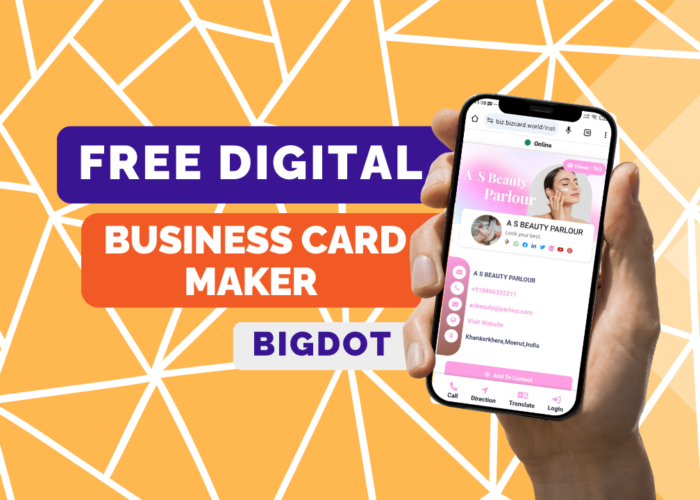
In today’s digital age, networking and professional connections are more important than ever. Whether you’re a freelancer, entrepreneur, or small business owner, having a digital business card can make a lasting impression on potential clients and partners. BigDot offers a powerful, easy-to-use platform for creating your free digital business card, packed with features to help you stand out from the crowd.
Introducing BigDot’s Free Digital Business Card Maker
BigDot’s free digital business card maker is designed to help you create a professional and eye-catching digital business card in minutes. Here are some of the key features:
Easy-to-Use Editor: BigDot’s intuitive editor allows you to customize every aspect of your digital business card, from colors and fonts to layout and images.
Custom Templates: Choose from a variety of professionally designed templates to suit your style and industry.
Contact Information: Easily add your name, job title, company name, phone number, email address, and website URL.
Social Media Links: Include clickable icons for your social media profiles, such as LinkedIn, Twitter, Facebook, and Instagram.
Logo and Image Upload: Upload your company logo or a professional photo to personalize your card.
QR Code Generator: Generate a QR code that links directly to your digital business card, making it easy for others to save your contact information.
Digital Sharing Options: Share your digital business card via email, text message, QR code, or social media.
Mobile-Friendly Design: Your digital business card is optimized for mobile devices, ensuring a seamless viewing experience for recipients.
Why Use a Digital Business Card?
Traditional paper business cards are quickly becoming outdated in a world where everything is digital. A digital business card offers several advantages:
- Eco-friendly: Save paper and reduce waste by going digital.
- Convenient: Your digital business card is always accessible on your phone or computer.
- Dynamic: Easily update your information and design to keep it fresh.
- Interactive: Include clickable links to your website, social media profiles, and more.
- Cost-effective: No need to spend money on printing and reprinting cards.
How to Create Your Free Digital Business Card with BigDot
Creating your free digital business card with BigDot is easy and only takes a few simple steps:
Sign Up: Visit BigDot’s website and sign up for a free account.
Choose a Template: Browse through BigDot’s template library and choose a design that fits your style and industry.
Customize Your Card: Use BigDot’s editor to customize the colors, fonts, layout, and content of your digital business card. Add your contact information, social media links, logo, and images.
Preview and Save: Preview your digital business card to ensure it looks perfect. Once you’re satisfied, save your card.
Share Your Card: Share your digital business card with others by sending it via email, text message, QR code, or social media. You can also download a printable version if needed.
A digital business card is a modern and efficient way to share your contact information and make a lasting impression on potential clients and partners. With BigDot’s free digital business card maker, you can create a professional and personalized digital business card that showcases your brand and expertise. Start creating your free digital business card today and take your networking to the next level.
No Comment! Be the first one.